Cool little freeware tool that scans DNS servers to find which can resolve for you the fastest.
Find it at: https://www.grc.com/dns/benchmark.htm

Cool little freeware tool that scans DNS servers to find which can resolve for you the fastest.
Find it at: https://www.grc.com/dns/benchmark.htm
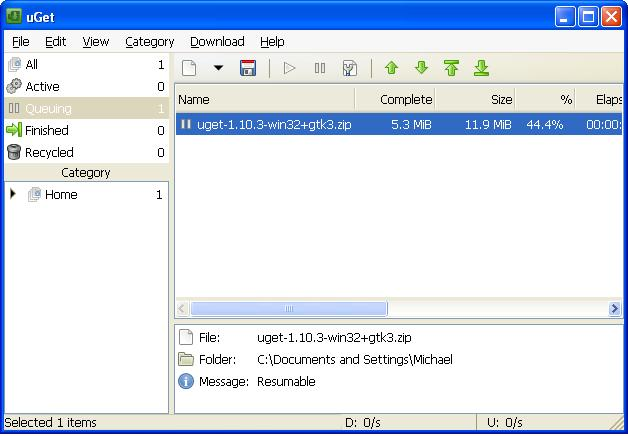
Every now and then I find the need to use a download manager. However they normally take over your system attempting to handle every download. Most of the free ones also tend to be packed full of ad-ware.
Today I ran into uGet, which is absolutely perfect. On top of being both open source and portable, it does exactly what its intended to do – download – without any added frills or annoyances.
Product homepage: http://ugetdm.com/
SourceForge page: http://sourceforge.net/projects/urlget/
This application pulls in the most current list of cryptsy market IDs.
Requires .Net Framework 4.5 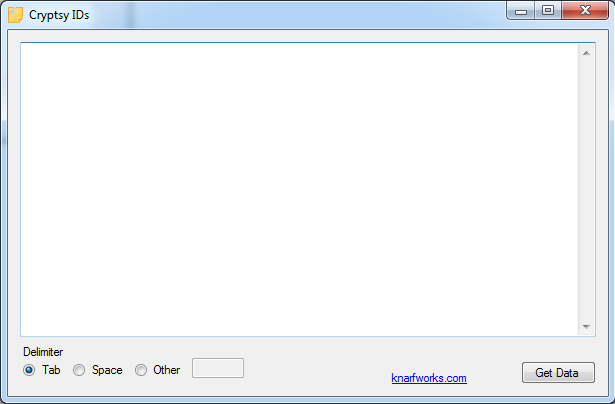
** Downloads removed as this is super old **
I can never remember the chkdsk commands. Just like tar in linux, always have to check the man pages.

Standard execution: chkdsk /f /r c:
Cancel scheduled check: chkntfs /x c:

C:\>chkdsk /?
Checks a disk and displays a status report.

CHKDSK [volume[[path]filename]]] [/F] [/V] [/R] [/X] [/I] [/C] [/L[:size]] [/B]

  volume          Specifies the drive letter (followed by a colon),
                  mount point, or volume name.
  filename        FAT/FAT32 only: Specifies the files to check for fragmentation.
  /F              Fixes errors on the disk.
  /V              On FAT/FAT32: Displays the full path and name of every file
                  on the disk.
                  On NTFS: Displays cleanup messages if any.
  /R              Locates bad sectors and recovers readable information
                  (implies /F).
  /L:size         NTFS only:  Changes the log file size to the specified number
                  of kilobytes.  If size is not specified, displays current
                  size.
  /X              Forces the volume to dismount first if necessary.
                  All opened handles to the volume would then be invalid
                  (implies /F).
  /I              NTFS only: Performs a less vigorous check of index entries.
  /C              NTFS only: Skips checking of cycles within the folder
                  structure.
  /B              NTFS only: Re-evaluates bad clusters on the volume
                  (implies /R)

The /I or /C switch reduces the amount of time required to run Chkdsk by
skipping certain checks of the volume.